![Full Logo Black.png]](https://servicehub.passgallery.com/hs-fs/hubfs/Logos/Full%20Logo%20Black.png?height=40&name=Full%20Logo%20Black.png)
Markups allow you to control your pricing and ensure profitability on every order. We recommend using a 200% markup along with a $75 minimum order to help maintain healthy margins.
To ensure your pricing is applied correctly—especially when running Sales Campaigns—make sure your Basic Pricing preset is active and properly configured with the recommended markup percentages. This helps prevent underpricing and ensures your orders remain profitable.
Step 1: Access Your Price List
From your Main Dashboard, go to Settings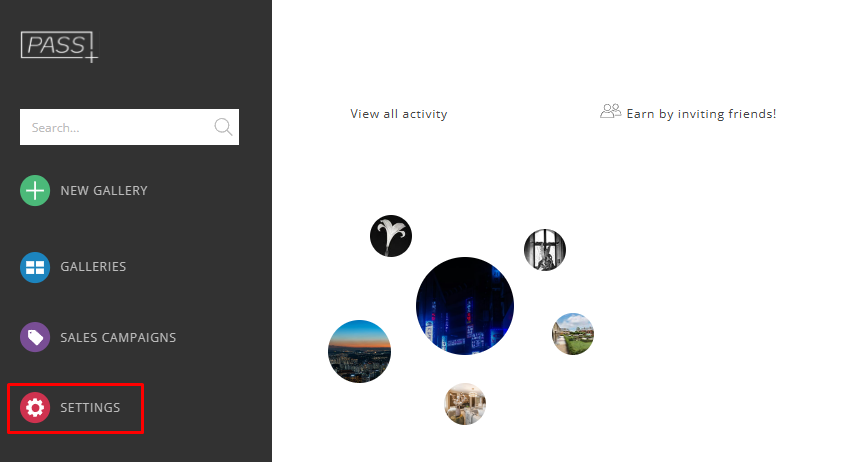
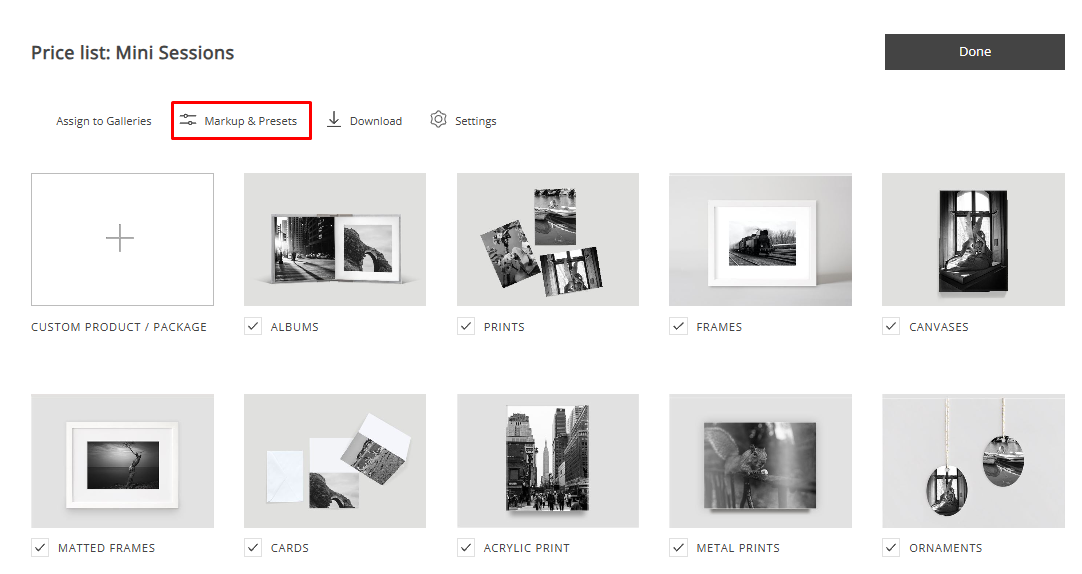
Click Store Pricing, and select the Price List you want to edit.
Click Markup & Presets
Step 2: Apply a Markup Preset
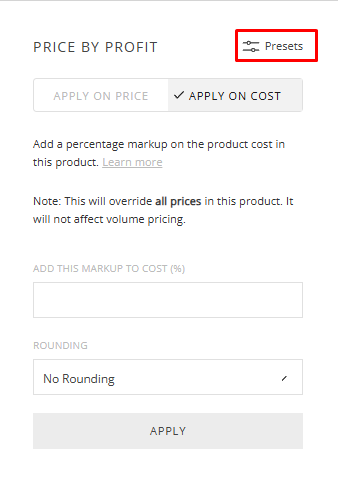
Select the Apply on Cost tab and click Presets
If you want to apply a markup on price, select the Apply on Price tab.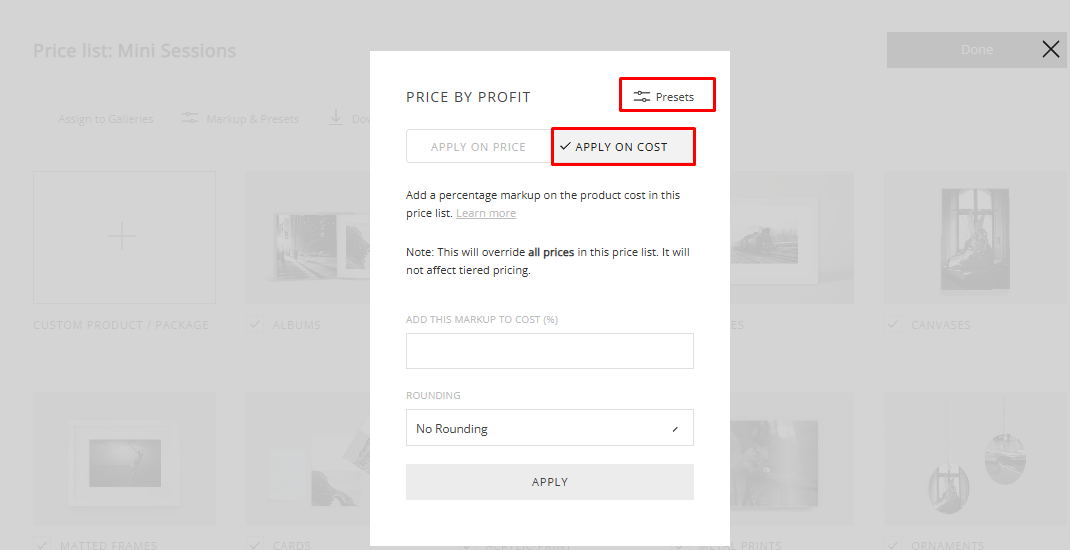
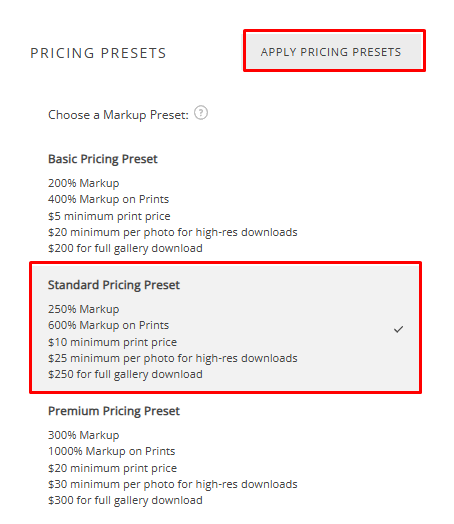
Choose your Markup Preset, recommended: Basic Pricing Preset.
Click Apply Pricing Presets
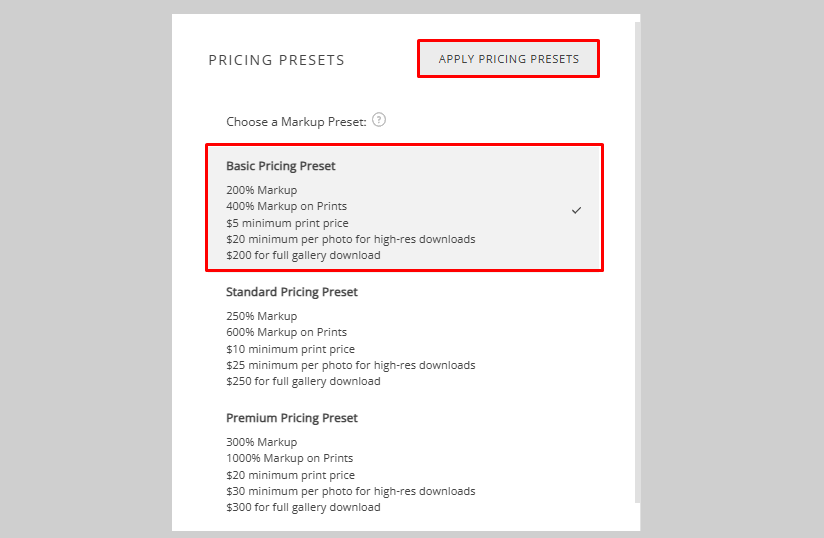
The markup is now applied to all enabled products within the Price List.
Step 3: Edit Markup for Individual Products (Optional)
Select the product you want to edit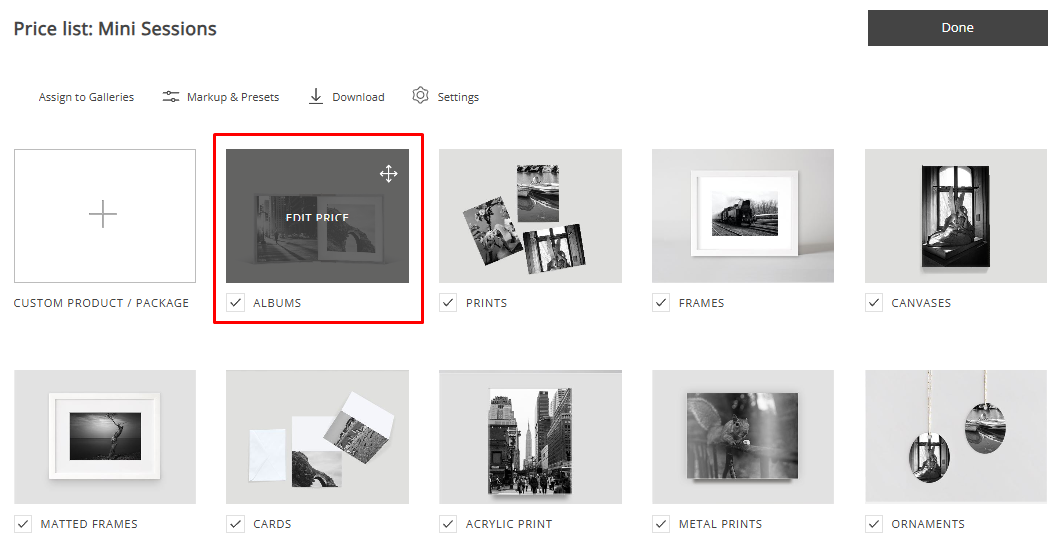
Click Markup & Presets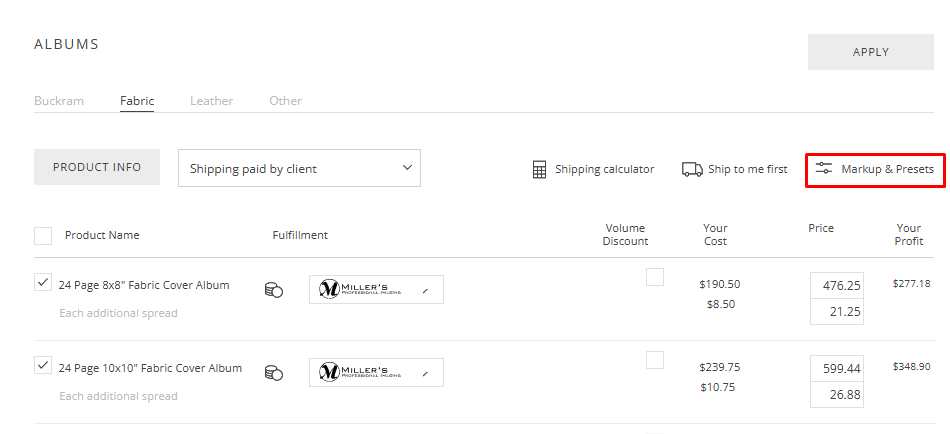
Select Presets
Choose a markup preset and click Apply Pricing Preset
Best Practices
- Use Apply on Cost to maintain consistent and accurate pricing
- Ensure your Basic Pricing preset is active before launching Sales Campaigns
- Set a minimum order value (e.g., $75) to maintain profitability on smaller orders
- Adjust your markup based on your discount strategy—higher discounts may require higher markups to maintain profitability
- Review your markups regularly to ensure they align with your pricing strategy
Need Help?
If you have any questions or need additional assistance, please contact: help@passgallery.com